When touchscreens first appeared, they promised a cleaner aesthetic, greater flexibility for software updates, and cost savings in manufacturing. One screen could replace dozens of expensive mechanical parts. Designers reveled in the endless possibilities of dynamic interfaces.
However, the road to an all touch interface was paved with increasing frustration, distraction, and a stark reality check: a car is not a smartphone.
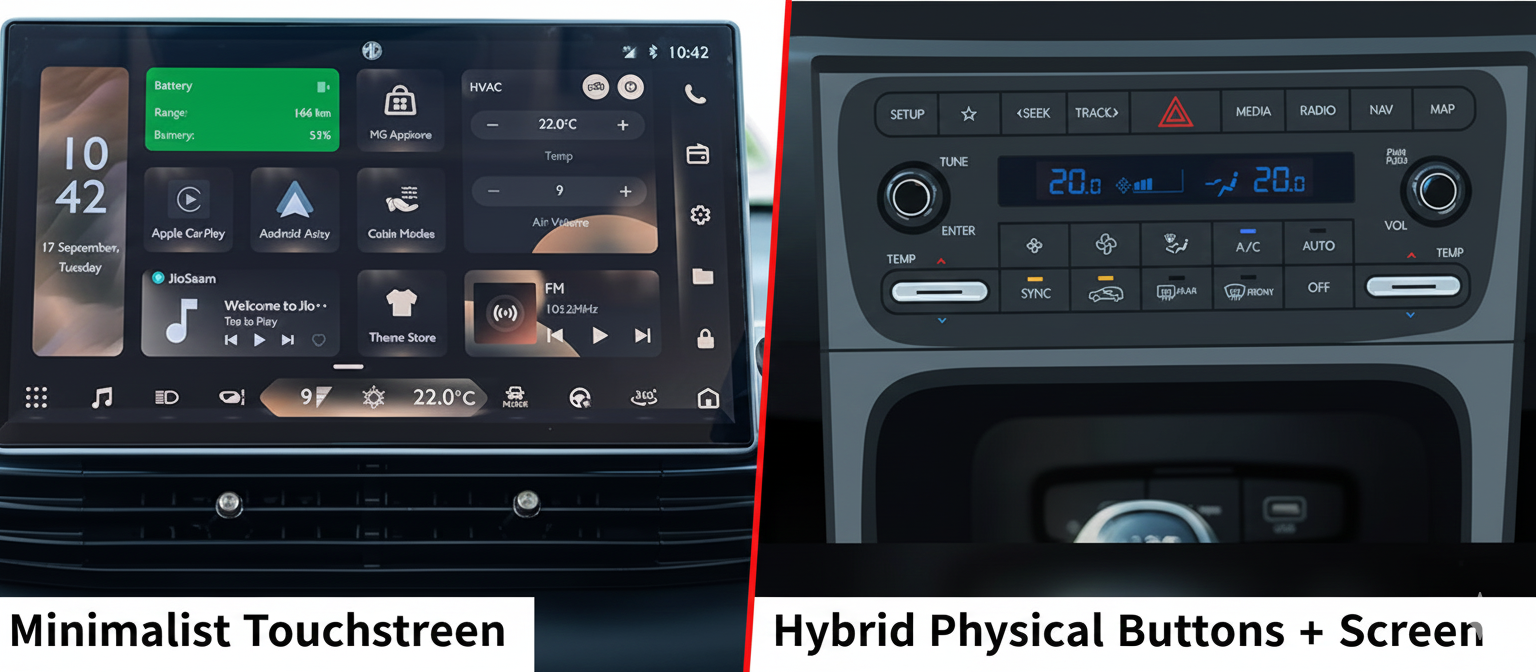
The Core UX Problem: Driving is a High Stakes Task
Think about it: when you're driving, your primary task is to navigate a dynamic, often unpredictable environment at high speeds. This demands constant visual attention on the road.
Here's where touchscreens fundamentally fail in a driving context:
-
1. Visual Manual Overload
To use a touchscreen, you must look at it, find the correct icon, and then visually confirm your finger hits the target. This sequence forces your eyes off the road for critical seconds.
-
2. Lack of Haptic Feedback
Physical buttons provide immediate, undeniable haptic feedback. You feel the click, the resistance of a dial, the snap of a toggle. This allows for "eyes free" operation through muscle memory. A flat piece of glass, even with simulated haptics, can't replicate this crucial sensory input.
-
3. No Affordances
A physical knob "affords" twisting, a button "affords" pressing. These inherent design cues guide our interaction without thought. On a touchscreen, every "button" looks and feels the same, stripping away these intuitive affordances.
-
4. Cognitive Load
When every action requires a deliberate visual search and precise touch, it significantly increases the driver's cognitive load diverting mental resources away from the primary task of driving.
The Regulatory Hammer: Euro NCAP Steps In
The shift isn't purely a realization by carmakers; it's being catalyzed by significant safety regulations. Euro NCAP, Europe's leading independent car safety assessment program, will soon penalize vehicles that don't have physical controls for essential functions.
This includes:
- Turn signals
- Hazard lights
- Windscreen wipers
- Horn
- SOS functions
This move effectively draws a line in the sand, forcing manufacturers to prioritize practical usability over minimalist aesthetics.
The Return of Tactile Harmony
The future of in-car UX isn't about eliminating screens entirely. It's about intelligent hierarchy and interaction design.
Tier 1: Physical Controls
High-frequency, safety-critical functions (volume, climate, essential driving assists) need dedicated, tactile buttons, knobs, and switches. These allow for "eyes on the road" interaction.
Tier 2: Touchscreens
Low-frequency, rich-data tasks (navigation input, media browsing, deep vehicle settings) are still well-suited for a touchscreen interface, where visual information density is beneficial.
This hybrid approach allows designers to leverage the strengths of both mediums, creating an environment that is both visually appealing and inherently safer.
A Win for Human-Centered Design
For UX designers, this automotive UI rewind is a powerful reminder that context is king. What works beautifully on a stationary device in your hand can become a liability when strapped into a moving vehicle.
It’s a validation that prioritizing human factors our need for tangible feedback, reduced cognitive load, and intuitive interaction – ultimately leads to better, safer, and more satisfying user experiences. The return of the button isn't a step backward; it's a mature, informed leap forward.